
Connect your hosted Perforce server
A Perforce server hosted on Dev Stream Labs connects to Build Stream without a token, a URL or a webhook. The platform already knows the server and already has a build account on it, so the form asks for one thing: the depot path Build Stream syncs. Under that path you map streams or directories to branches, and each submit that touches a mapped path starts a build.
Before you start
You need two services on the same project.
| You need | Why | Where |
|---|---|---|
| A live hosted Perforce server | The connection is made to the server the platform runs for this project. During creation or a migration the server is not live yet. | Create your Perforce server |
| Build Stream on the same project | The Connections page lives in Build Stream, and the server can only send submits to a Build Stream on its own project. | Add Build Stream to your project |
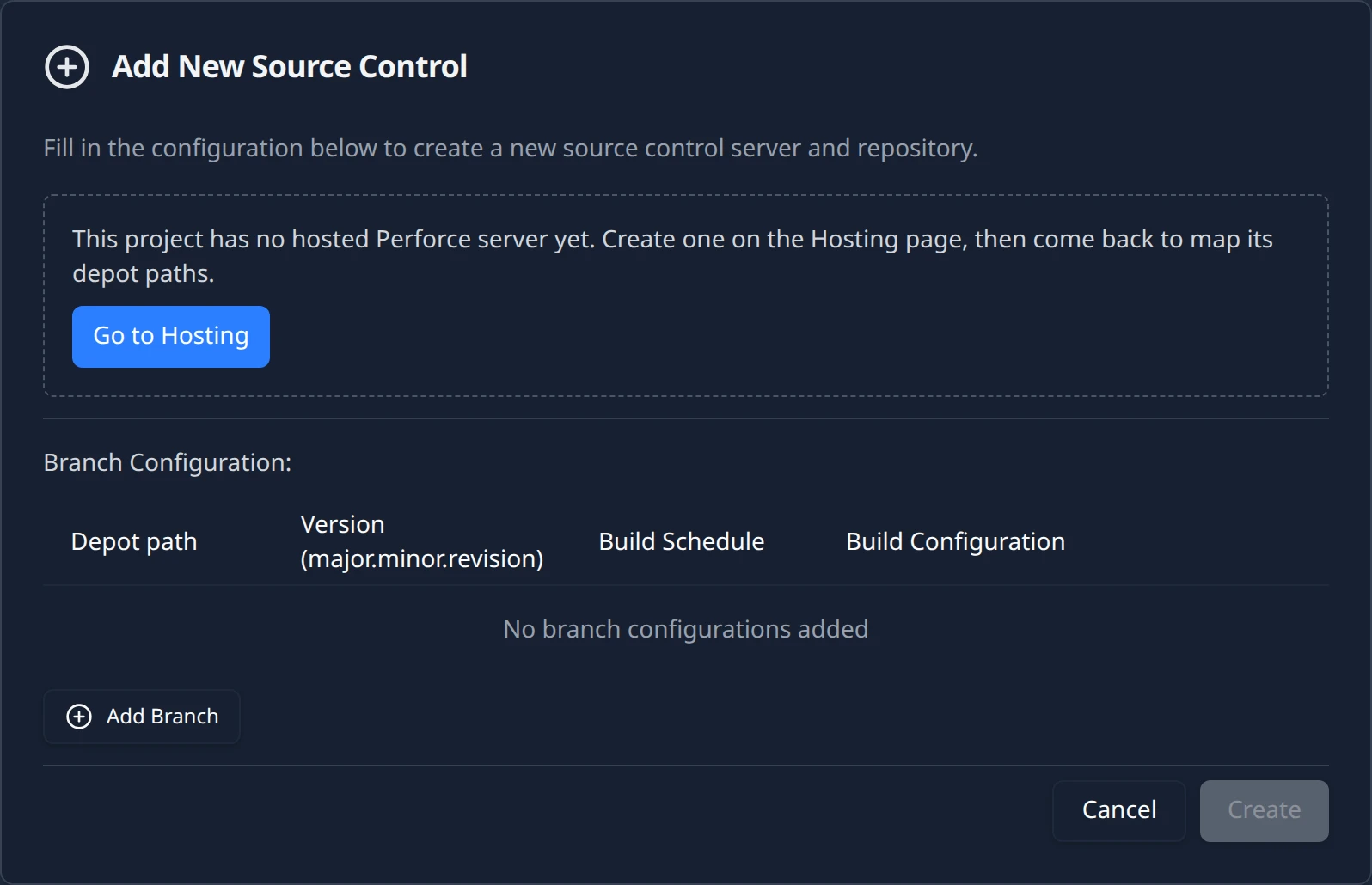
There is nothing to paste. When the server goes live, the platform registers it with your project's Build Stream: the server address, the build account and the delivery status all arrive on their own, and the form shows them read-only. If the server is not registered yet, the form is replaced by an empty state that reads This project has no hosted Perforce server yet. Create one on the Hosting page, then come back to map its depot paths. with a Go to Hosting button.
Connect the server
Open Connections and choose Perforce
In the project sidebar open Build Stream and then the Connections page. Click Add and choose Perforce. The item is enabled as long as the project has no repository yet; a project holds one repository today, and once one exists the whole menu is disabled with the note Maximum of 1 repository allowed.
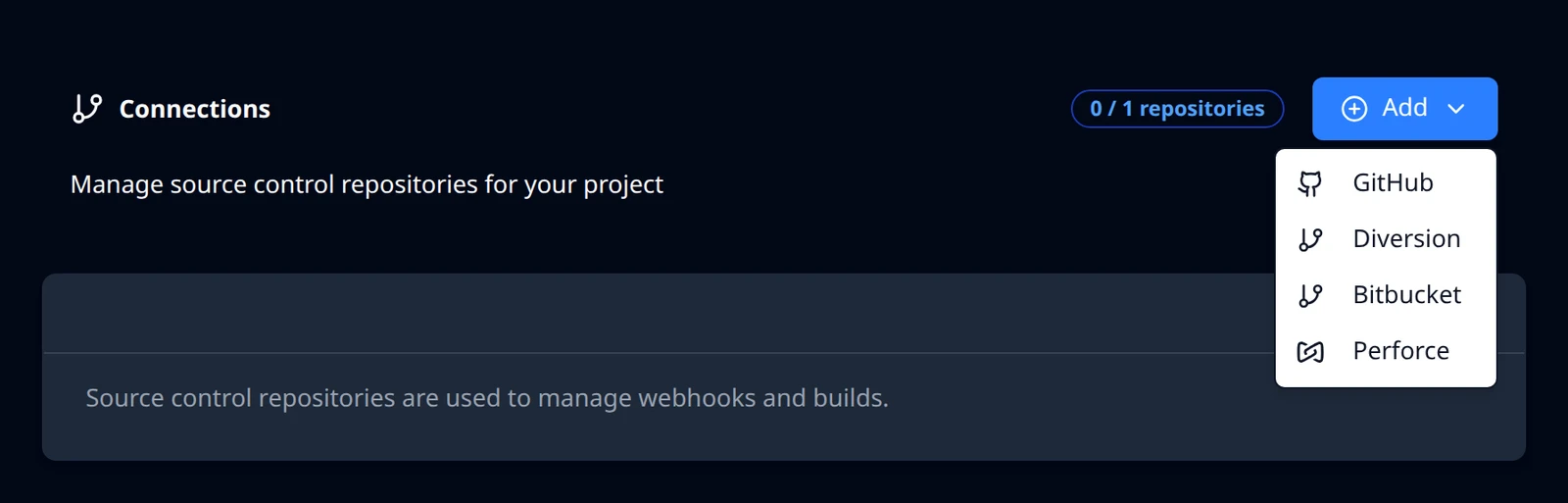
The Add menu on a project with a hosted Perforce server. Read the Hosted Perforce server form
A card expands under the heading Hosted Perforce server. The first three rows are read-only and come from the platform:
The read-only rows of the Hosted Perforce server form Field What it shows Example Server The address of your hosted server, the same one on the Hosting page's connection card. ssl:p4.starfall.northwind.example.com:1666Build account The read-only Perforce user the build machines sync with. The platform created it on your server; you cannot change it here. dsl_buildStatus Armed by Cloud Manager when the Build on check-in switch on the Hosting page is on, or Not armed with the line Turn on Build on check-in on the Hosting page to start receiving submits. where Hosting page is a link. Armed by Cloud ManagerNot armed does not stop you from connecting. You can map depot paths first and turn the switch on later; the status on the form and on the card refreshes every 30 seconds or so while a Perforce form or card is on screen.
Enter the depot path
Depot path is the one field you fill in. Its placeholder is
//depotand the help line reads The depot root Build Stream syncs. Streams or directories under it are mapped below. Enter the depot, or a directory inside it, that holds everything your builds need, for example//depotor//depot/game. Start with two slashes and do not end with one; trailing slashes and surrounding spaces are removed when you save. Anything else turns the field red with the message Enter a depot path such as //depot or //depot/game (leading //, no trailing slash).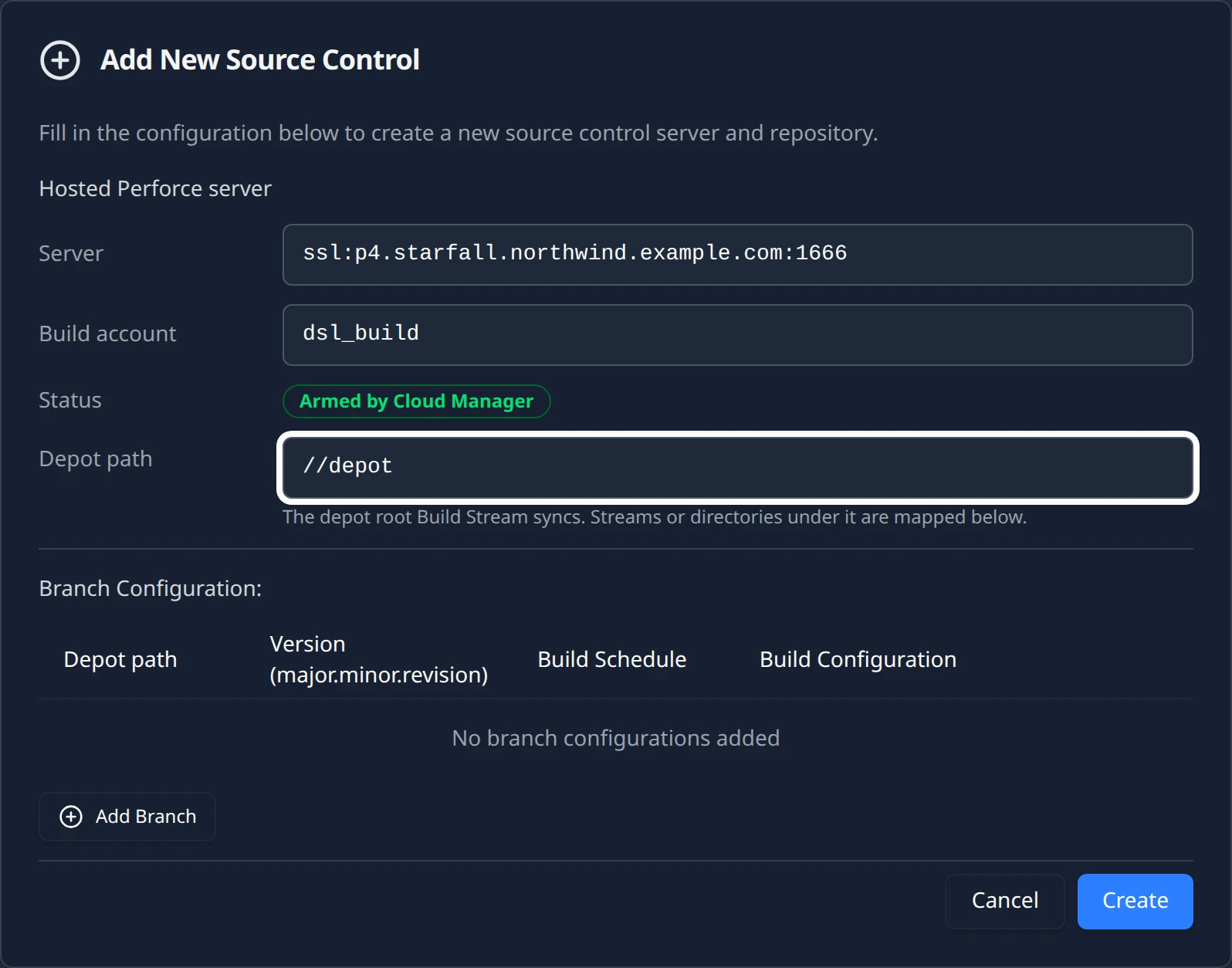
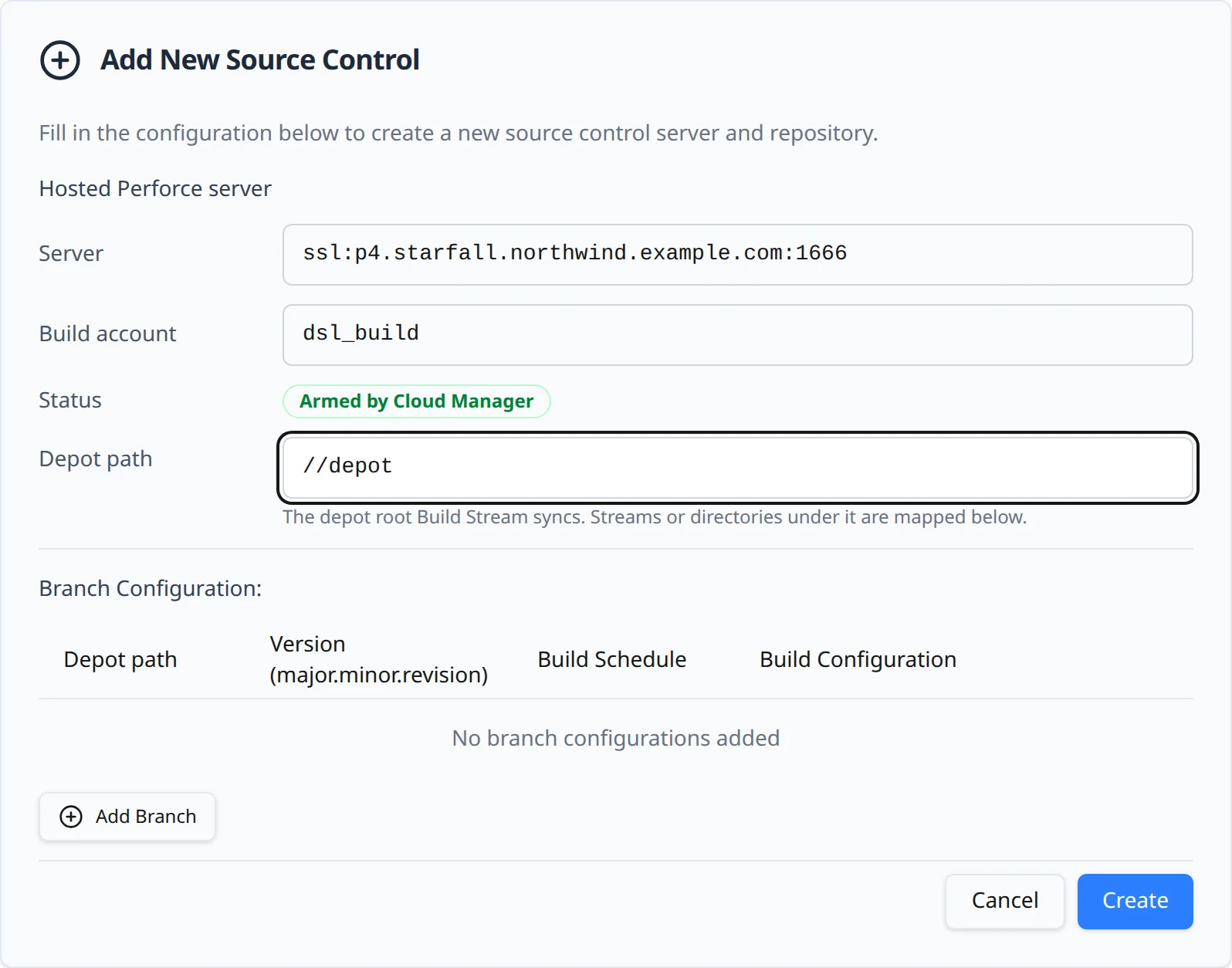
The form for a project whose hosted server is armed. Add at least one depot-path row, then Create
The Branch Configuration: table under the form is where streams or directories are mapped; the next section covers the rows. Create stays disabled until the server is registered and the depot path is valid. Click it and the toast Source Control Added confirms with the line //depot is mapped to your hosted Perforce server (with your depot path in place of
//depot). The form becomes a card whose title pairs the account with the depot path, for examplep4 · //depot.If you see the error Hosted Perforce server not registered instead, the registration has not reached Build Stream yet. Wait a minute, reload the page and try again.
To change the depot path later, open the card with Config. The Depot path field is editable there, next to a Save depot path button that enables once the value is valid and differs from what is saved. The toast Depot path saved confirms it. Changing the depot path changes the prefix of every row on the card, so check the rows after you save.
Map depot paths to branches
Perforce has no branch list to load, so each row in the Branch Configuration: table is a path you type. On a Perforce card the first column is headed Depot path instead of Branch, and its placeholder is main. Enter the stream or directory under the depot root: main, release/1.4 or streams/main are all fine. Leading and trailing slashes are removed. The row shows a preview of the full depot prefix the row will own, so you can see the combined path before you confirm it.
The rest of the row is the same as for every provider: a version, a build schedule and at least one build configuration. Pick the configuration before you click Confirm; without one the row refuses with the toast Select at least one build configuration for branch "main" before confirming. Adding rows, versions and schedules are covered on Add a branch.
How the prefix mapping works
Every row owns one depot prefix: the depot path, a slash, the row's name, and a closing slash. Build Stream reads the file list of each submitted changelist and assigns each file to the row whose prefix it starts with.
| Depot path | Row | Prefix the row owns | A submit to |
|---|---|---|---|
//depot | main | //depot/main/ | //depot/main/Assets/Player.cs builds this row. |
//depot/game | release/1.4 | //depot/game/release/1.4/ | //depot/game/release/1.4/Assets/Player.cs builds this row. |
//depot | main | //depot/main/ | //depot/tools/build.py matches no row and is recorded as a notice, not built. |
- Longest prefix wins. When two rows could match a file, the more specific prefix takes it. A row for
mainand a row formain/toolsunder the same depot path do not overlap: files under//depot/main/tools/belong to the second row only. - Two rows, two builds. A changelist that touches files under two mapped prefixes is recorded on both rows, and both build if their schedules say so. Each build syncs the whole depot path at that changelist, so the two builds see the same files.
- Files outside every prefix are recorded, not built. The submit shows up on the Connections page as the notice Pushes are arriving on branches that are not set up to build with the depot path that was submitted to and the change number. The notice is your confirmation that delivery works and only a row is missing; it is described on Branches and build configurations. The trigger on your server fires for every submit, so a depot that has nothing to do with builds produces this notice too. Add a row if it should build; otherwise leave it.
Validation messages
Both fields are checked when a row is saved. The first message appears under the depot path field as you type; the second comes back from the save as an error toast.
| Message | Fix |
|---|---|
| Enter a depot path such as //depot or //depot/game (leading //, no trailing slash). | The depot path must start with two slashes and contain at least one segment. Remove any trailing slash and any spaces. |
| Enter the stream or directory under the depot path, e.g. main or streams/main. | The row name is empty after slashes are removed. Type the stream or directory name, not the full depot path. |
Check-in delivery
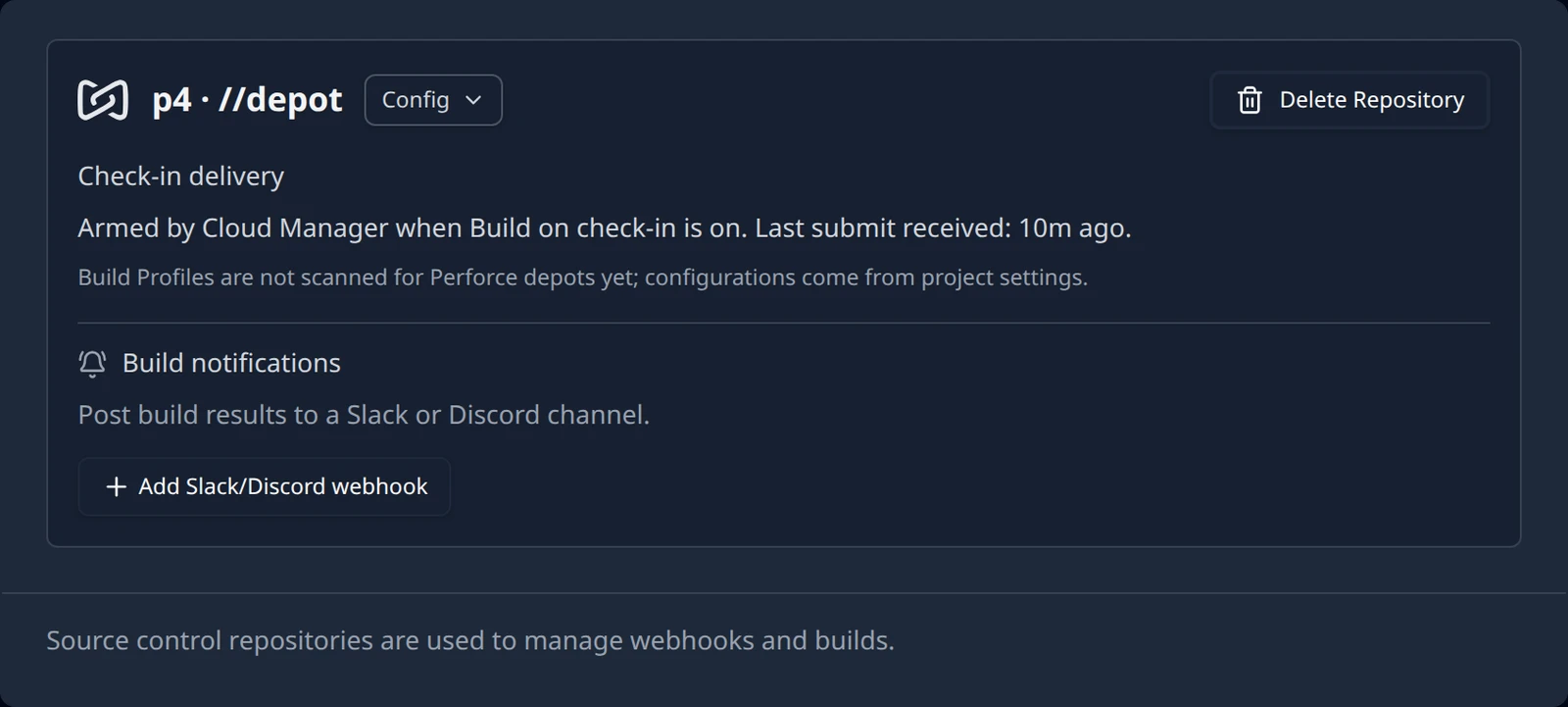
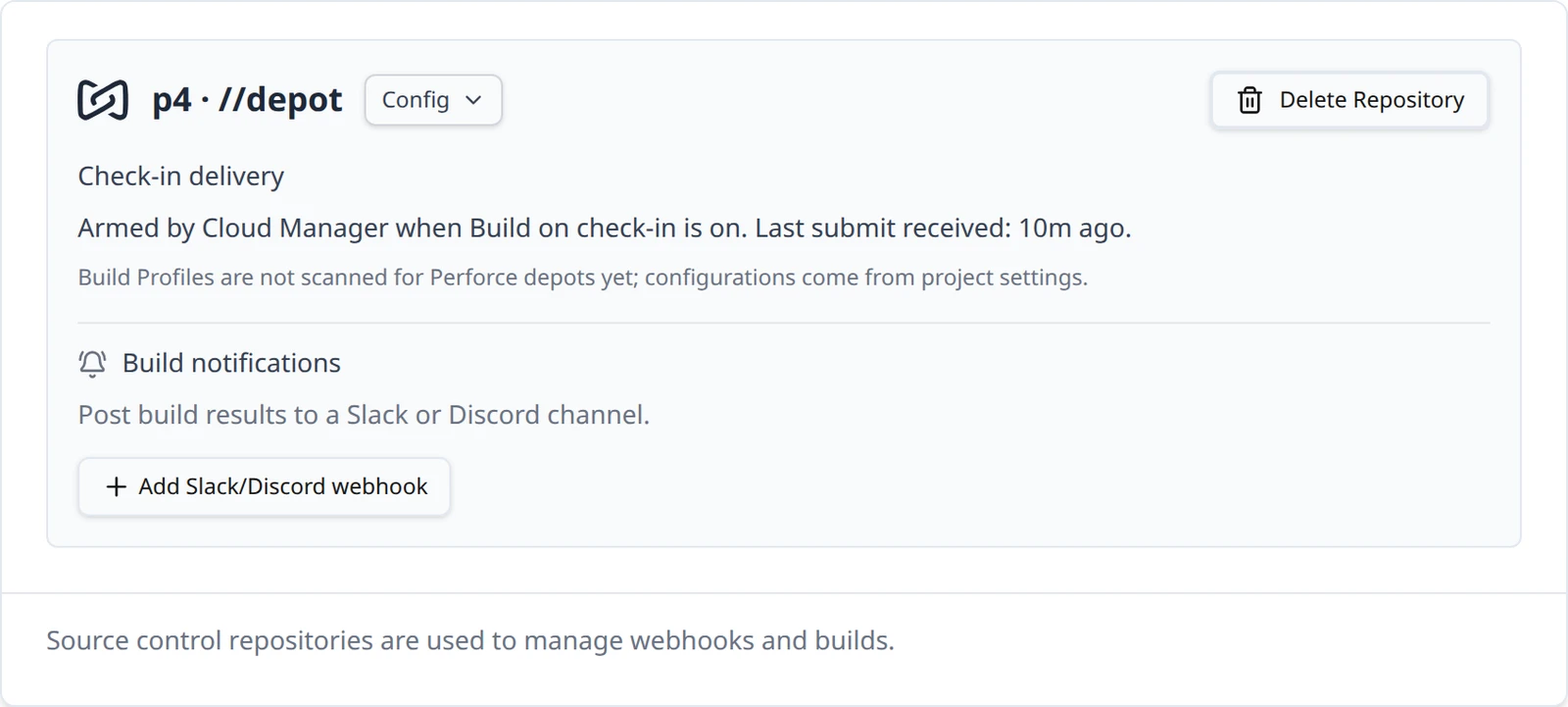
Where a GitHub or Bitbucket card shows a webhook URL and secret, the Perforce card shows a block headed Check-in delivery. There is no URL to copy and no secret to paste: the platform installs the trigger on your server and signs every delivery with a secret it holds on both sides.
| The card reads | It means |
|---|---|
| Armed by Cloud Manager when Build on check-in is on. Last submit received: never. | The switch on the Hosting page is on and the trigger is installed. No submit has reached Build Stream yet. |
| Armed by Cloud Manager when Build on check-in is on. Last submit received: 5m ago. | Submits are arriving. The time is relative (just now, 5m ago, 3h ago, 2d ago) and refreshes every 30 seconds or so while the card is on screen. |
| Not armed. Turn on Build on check-in on the Hosting page. | The switch is off, so the server does not send submits. Your depot paths stay mapped and take effect the moment the switch is on. |
The switch itself lives on the Hosting page, on the Build on check-in card that reads Start a build in Build Stream whenever someone submits. Its sub-line changes with the state and links back to Connections:
- Switch off: Builds also need a depot path mapped to a branch in Build Stream. followed by the link Connect Perforce in Build Stream.
- Switch on: Builds start for the depot paths you have mapped to a branch in Build Stream. A submit outside those paths is recorded but does not build. followed by the link Map depot paths in Build Stream.
Turning the switch on is a request that the platform applies to the live server within a minute or so; while it is pending the card reads Turning on…. The switch, what can block it and how to read its states are covered on Build on check-in in the Perforce guide. Once the card is armed and a row is confirmed, make a submit under the row's prefix and continue with Your first build. A build labelled with a changelist syncs exactly that changelist, not the head of the depot.
Build configurations
The Build Configuration column on a Perforce row is the same picker every other provider uses: the platforms the project settings allow, each with its farm availability, described on Branches and build configurations. Confirmed rows save each change as you make it.
One difference is written on the card: Build Profiles are not scanned for Perforce depots yet; configurations come from project settings. Build Stream does not open a Perforce depot to discover a Unity project's build profiles, so a Unity project on Perforce gets the standard platform configurations only and no Build profiles section on its rows. The toolchain, the engine version and the licence type still come from the project's settings in the home app, the same as for every provider.
What the hosted path does today
The hosted Perforce path hands over less than any other provider, because the platform runs the server. Compared with the four repository providers below, there is no credential, no repository picker and no webhook to create; delivery is signed on both ends, and a submit outside every mapped prefix is recorded as a notice rather than rejected.
| GitHub App | GitHub (token) | Bitbucket Cloud | Diversion (beta) | |
|---|---|---|---|---|
| You provide | An App install, then you pick a repository. | Username, repository and a Personal Access Token. | Workspace and an API token. | Server URL, API token and the repository name. |
| Repositories you can pick | Any the App can see. | One you name. | Listed after Load repositories. | One you name. |
| Webhook | Created for you. | You create it, from Manage Webhook. | You create it, from Manage Webhook. | You create it. |
| Delivery is verified | No signature check today. Deliveries are matched to your App installation and repository. | No signature check today. | No signature check today. | No signature check today. |
| Branch list in the app | Yes. | Yes. | Yes. | No. You type the name. |
| Pushes to a branch you have not added | Recorded as a notice. | Recorded as a notice. | Acknowledged and dropped. Nothing is shown in the app. | Rejected, not recorded. |
| Version from releases | Yes. | No. | No. | No. |
If the form has a Personal Access Token field, you also create the webhook. The GitHub App path has neither.
| Capability | Hosted Perforce today |
|---|---|
| You provide | A depot path, and a row per stream or directory under it. |
| Server and build account | Filled in by the platform and read-only on the form. |
| Webhook | None. The platform installs a signed trigger on your server when Build on check-in is on. |
| Delivery is verified | Yes, signed with a secret the platform holds on both sides. |
| Branch list in the app | No. You type the stream or directory name; the prefix preview shows what it maps to. |
| Submit outside every mapped prefix | Recorded as a notice on the Connections page, not built. |
| Version from releases | No. Type the base version on the row. |
| Build Profiles discovery | Not yet. Configurations come from project settings. |
| Repositories per project | One, like every provider today. Map several streams as rows under one depot path instead. |
If a submit arrives but nothing builds, start at Turned on, but nothing builds in the Perforce guide, then Troubleshooting: webhooks.
Something out of date or unclear? Email [email protected].